iMatrix TelematicsCold ChainEnvironmental Sensors

Micro Gateway Setup Guide

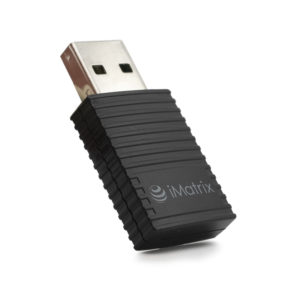
The Micro Gateway is a Wi-Fi bridge — it scans nearby iMatrix sensors via BLE and uploads readings to iMatrix Cloud 24/7, so you don't need your phone present for logging.

Micro Gateway

Pair and view your first reading.

Download the iMatrix app

Install from App Store or Google Play.

Plug in the Micro Gateway

Use the included USB-C power adapter. The status LED will blink while the gateway boots and searches for your Wi-Fi.

Open the app and tap +

The plus icon is in the top-right corner of the home screen.

Scan the QR code on the gateway

The QR code is on the bottom of the gateway. The app recognizes it as a gateway and launches the Wi-Fi setup flow.

Connect the gateway to Wi-Fi

Select your 2.4 GHz or 5 GHz network from the list and enter the password. The gateway attempts the connection and reports success to the app.

Name and save the gateway

Customize the gateway's name (e.g. "Kitchen" or "Warehouse Main") and save. The gateway immediately starts scanning for nearby iMatrix sensors.
Create an account and configure sensor settings.

Create an iMatrix Cloud account

Go to cloud.imatrixsys.com/registration. The gateway and all its sensors appear automatically under the same email.

Verify sensor check-ins

In iMatrix Cloud, each paired sensor shows its last check-in time via the gateway. Readings update per the sensor's check-in interval (default 10 minutes).

Add more sensors to the same gateway

Repeat the sensor pairing flow on the app — any sensor you pair will automatically route through the nearest gateway (by RSSI) for cloud uploads.

Route alerts to email, SMS, and push.

Configure channels once, apply to all sensors

Dashboard → Settings → Notifications and Reports. Add your email, phone, and SMS — these channels can be applied to every sensor under this gateway.

Gateway offline alerts

Enable the "Gateway offline" notification to be told the moment the gateway loses Wi-Fi or power — critical for unattended sites.

Pro Tips

  • Placement: locate the gateway centrally within sensor range. RSSI greater than -89 dB is best; anything weaker may cause dropouts.
  • One gateway can cover a small-to-medium facility. For larger sites, use multiple gateways — they auto-coordinate via iMatrix Cloud.
  • Micro Gateway automatically pushes the latest firmware to your sensors.
  • If the gateway loses Wi-Fi, sensors continue logging to onboard flash — the gateway uploads the backlog when Wi-Fi returns.
  • No hub fees, no data caps. The cellular-eSIM variant is available separately if your site doesn't have Wi-Fi.
📄 Download this guide as PDF

Setup guides for other iMatrix products

Browse the full set of Quick Start Guides for Neo sensors, gateways, and Sentry-1.

All Quick Start Guides →