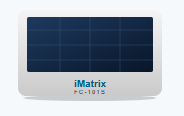
Before you start: Same solar rules as the FC-101S — mount the panel unshaded and facing the sky. Plan your external sensor runs before mounting so cable routing to the door, probe, or hitch stays clean and weather-tight.
At a Glance
FC-101S-EX hardware overview.
| Device type | Solar-powered GPS asset tracker with expandable I/O |
|---|
| Dimensions | 262 × 88 × 30 mm (10.31 × 3.46 × 1.18 in) |
|---|
| Housing rating | IP67 — dust-tight and protected against immersion in water |
|---|
| Power | Integrated solar panel charging a 9 Ah internal battery |
|---|
| Expandable connector | Auxiliary power (6–24 VDC), tractor-power detection, 1-Wire, RS-232, CAN H/L |
|---|
| Motion sensor | 6-axis IMU (movement, impact, and orientation) |
|---|
| Positioning | Multi-constellation GNSS · 2.0–2.5 m typical accuracy |
|---|
| Cellular | LTE Cat M / NB-IoT with 2G fallback · EdgeUplink global eSIM (Zones 1 & 2 included) |
|---|
Installation & Activation
Mount it and bring it online.
Place it where it can see the sky
Mount the unit with an unobstructed view of the sky and the solar panel facing upward. Keep the panel clear of dirt, snow, and debris so it charges reliably in its final position.
Wire any external inputs
If you’re using sensors, connect them to the expandable connector before final mounting — door sensors, temperature probes, tractor-power detection, or CAN / RS-232 inputs. Route cables cleanly so the asset stays weather-tight.
Mount it to the asset
Secure the unit through the integrated mounting slots with four rivets, screws, or bolts.
Let it wake and connect
Units ship in a low-power state. Exposure to sunlight or sustained movement wakes the device; it then joins the cellular network (up to ~5 minutes) and acquires a multi-constellation GPS fix (up to ~4 minutes).
Confirm it’s online
Check the device status on imatrixsys.com — see “Managing your device” below.
Managing Your Device
Verify status on imatrixsys.com.
All device management and data visualisation happen on the imatrixsys.com portal. Log in with your credentials and find your device by its IMEI — a traffic-light status shows its connection state:
Green — online and synchronised with the latest settings.
Yellow — online, but a configuration change is pending the next check-in.
Black — has not yet established a connection with the server.
Settings such as reporting frequency and the horizontal-accuracy threshold are pushed over-the-air — you never have to retrieve the device. Confirm a successful change via the check-in / updates icons in the dashboard.
Service Plans
Choose how the device reports.
Locate · Daily inventory
Daily visibility, maximum power conservation
- One location report every 24 hours
- Each report includes GPS position and solar-charge health metrics
- Lowest cellular air-time — longest field life
- Best for stationary assets, containers, and inventory
Command · Active tracking & security
Real-time awareness and programmable behaviour
- Motion-triggered: reports immediately when the asset starts moving, then sends periodic updates while in transit
- Recovery Mode ramps reporting up (e.g. every 60 seconds) to actively track a lost or stolen asset
- Reporting interval and device behaviour are adjustable over-the-air from the portal
- Impact reports flag collisions and rough handling
- Input monitoring for wired sensors — door security and tractor-power detection
Devices arrive pre-provisioned for your chosen plan. Wired-input monitoring (door, temperature, tractor power) is available on the Command plan. To change plans, contact your iMatrix representative. See FC-101 family plans & pricing →
Health & Troubleshooting
Keep it reporting reliably.
- Wired inputs not reporting? Confirm each sensor is landed on the correct expandable-connector pin and that input monitoring is enabled for the device in the portal.
- Check solar health in the portal. The dashboard shows charging current and voltage — use them to confirm the mounting position gets enough sun. Keep the panel clear of dirt, snow, and debris.
- First connection takes a few minutes — up to ~5 minutes to join the cellular network and ~4 minutes for the first GPS fix.
- GPS “drift” while stationary? The unit holds 2.0–2.5 m typical accuracy; the horizontal-accuracy threshold can be tightened over-the-air.
- Updates apply automatically over-the-air; verify a successful check-in via the portal logs.