How to Reset Your Password
To learn how to reset your password watch this short video or follow the simple guide below:
To learn how to reset your password watch this short video or follow the simple guide below:
If you’ve forgotten your password, go to the iMatrix Cloud Services portal.
When directed to sign in, select ‘Forgot Password’ and enter the email address you used to register your account.
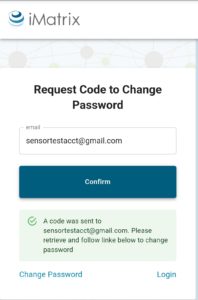 In a few moments you’ll receive an email from iMatrix with a link and code to reset your password.
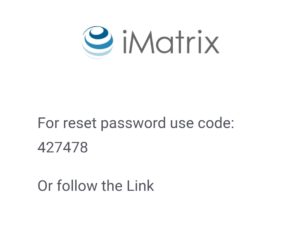 Either click the link or choose ‘Change Password’ on the bottom left of the next screen.
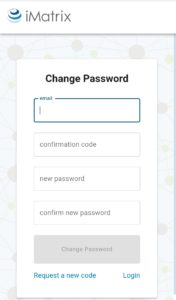 Re-enter your email address, and enter the code provided in the email sent to you. Create a new, secure password, making sure that both entries match.
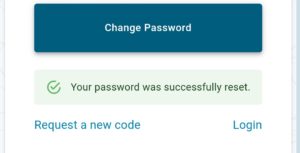 After you confirm your new password you’ll see a message confirming your new password change.